Home
Home

Jonathan shares a touching story of how a primitive drawing program taught him game design and brought him closer to his soul mate in the third grade.
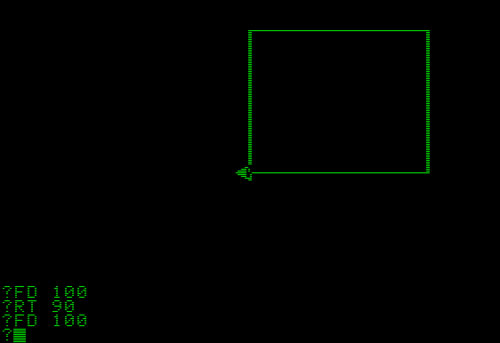
A long time ago, I befriended a girl in the third grade as we played a computer game called Logo. I doubt that she'll remember me today, but I still remember the program.
Logo challenged us to use microcomputers to draw beautiful, creative art that no other game could replicate.
The first day we tried the program, we had trouble actually moving the darned triangle on the screen. We were supposed to draw a geometric shape with the little triangle character, which the teacher called a "turtle." Instead, we pored over the directions to try to figure out the command-line instructions.
Movement was slow and unwieldy. We took turns to type in step-by-step commands, such as "rotate 90" or "pen up." I forgot who finally figured out the program, but we ended up teaching each other as we went along.
Soon, we were navigating through entire mazes by using the turtle. Sure, the movement took a long time. However, the computer application helped us to truly appreciate the work involved in typing and programming. The commands may have taken a long time, but the program was truly magical. We were left to our own devices, trying to figure out how to come up with fun ideas with an abstract line drawing.
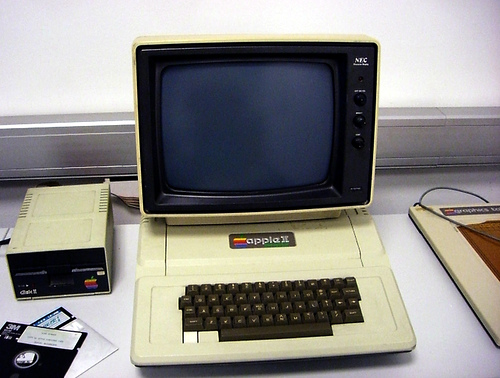
The girl moved away from the school after that year. I really missed seeing her, because she made Logo fun. We actually made a great team, drawing things on an ancient Apple II computer. I think I was in love back then.
Of course, she probably wouldn't remember who I am today. She'd probably remember that old-fashioned program, though. Apple II computers had a special charm that challenged children to creative their own fun and to fully understand step-by-step instructions.
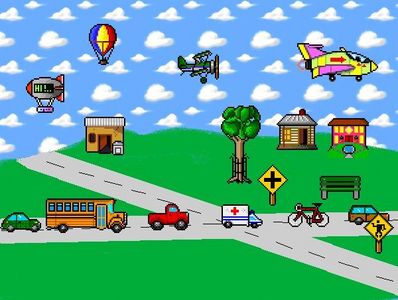
The old computer also helped us learn to operate new devices. The newer computers integrated more complex tools like a mouse and a color monitor. Although we had to spend more time figuring out the new-fangled drawing programs, we soon understood how important computers would become in the near future.
Sometimes, though, I'd rather imagine myself in the early '90s, tinkering around with a monitor that only displayed two colors. In those dreams, I'm still typing in commands and teaching my soulmate.
No one could ever replicate that experience in a first-person shooter or a fighting game. Logo was a special program that resonates to this day.
What other educational programs helped you learn how to use a computer or how to use programming commands? How do today's programs compare to older ones, such as Logo or Kid Pix? Have you ever met your soulmate through a computer game? Write about it in the comments below.